
Online Booking
A customer books service online and the job is ready for scheduling.
Pocomos optimizes routes using real drive times, not straight-line distances. Your techs spend less time driving and more time servicing, every single day.

Explore the operational capabilities this workflow can support.
Optimization uses actual road-based drive times, not straight-line distances. Rivers, highways, and dead ends are all accounted for.
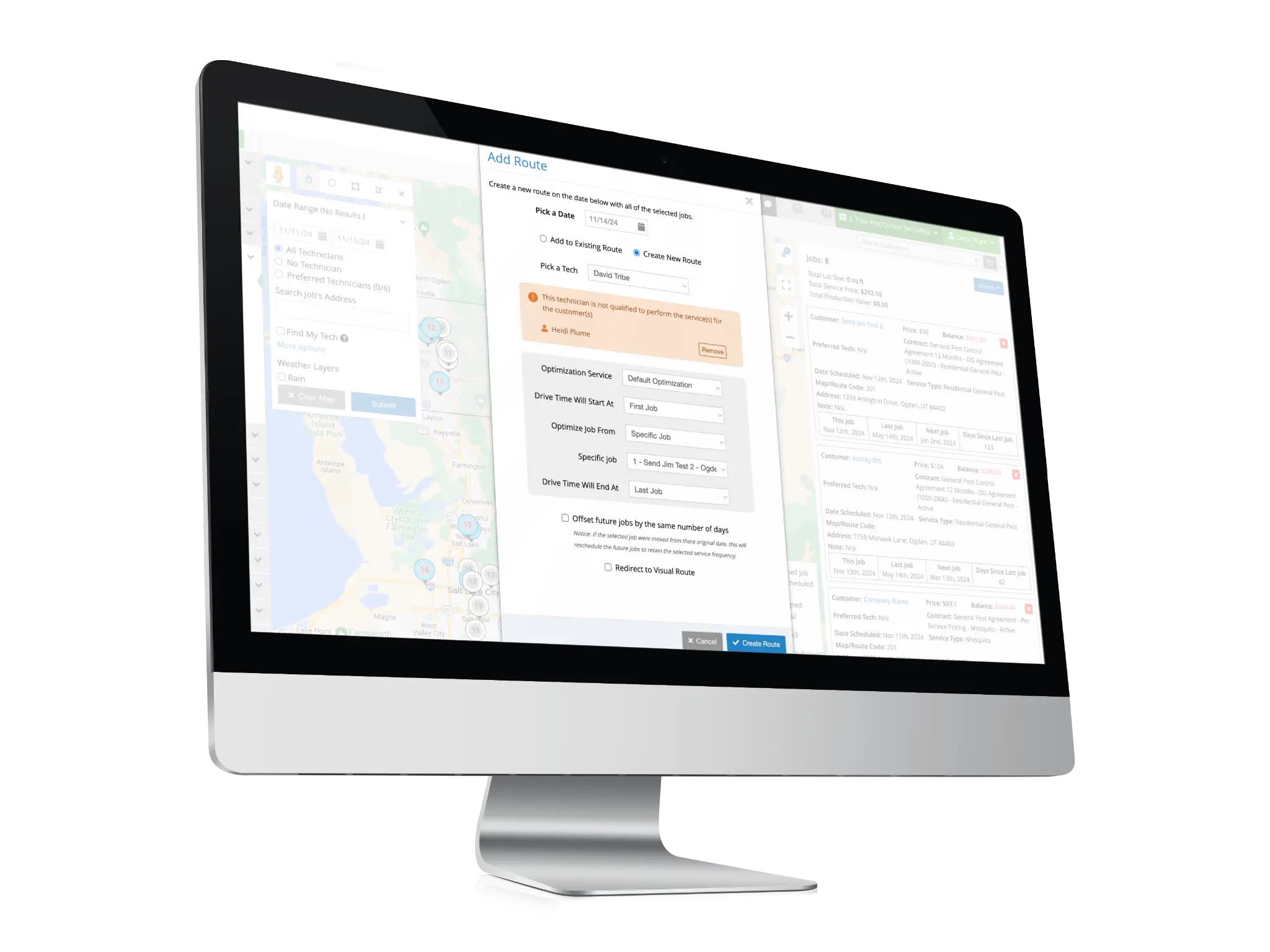
Optimize up to 10 trucks and 1,000 jobs at once with a single click. No need to build routes one by one.
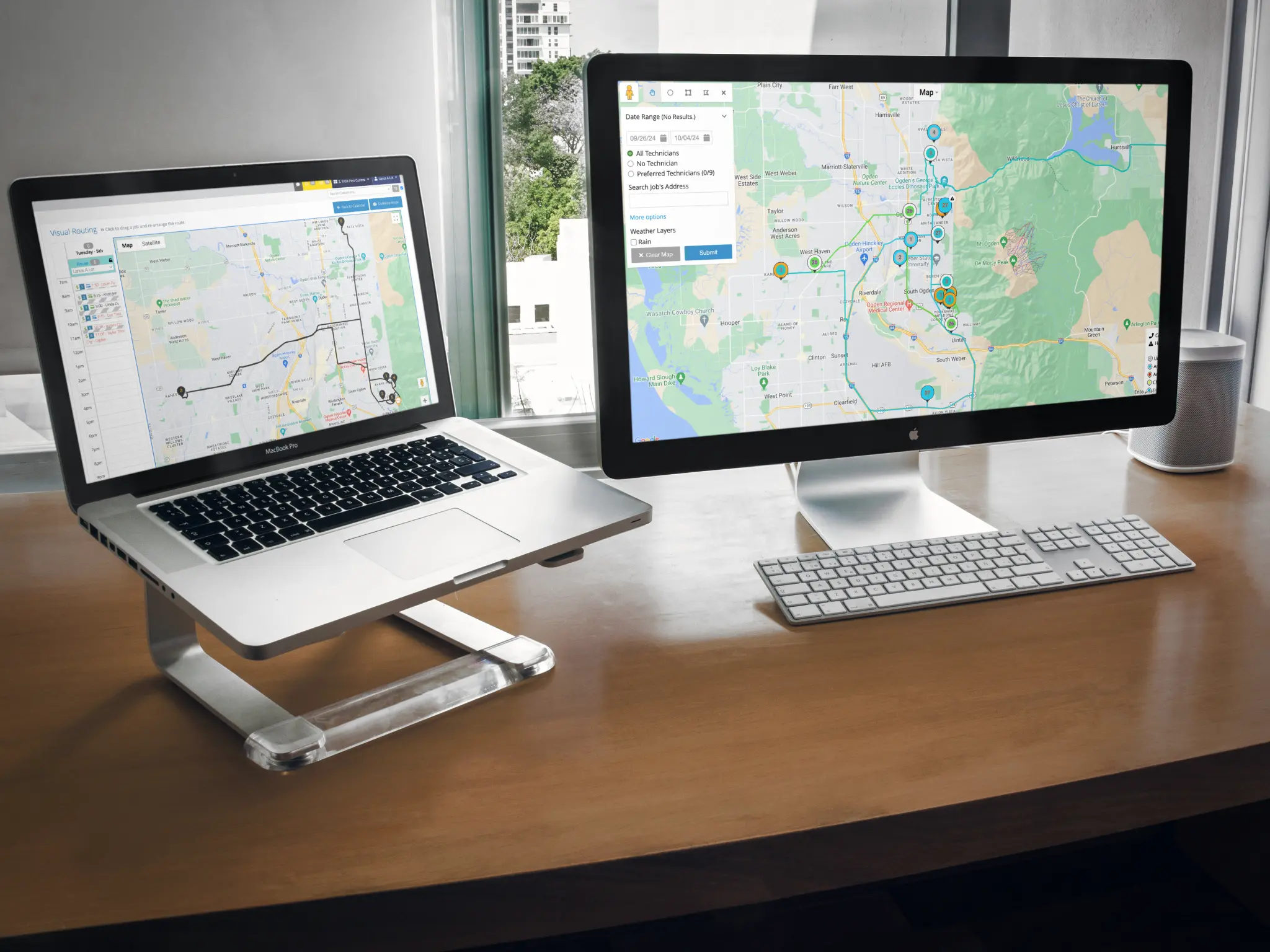
See drive times between every stop on a live map. Identify inefficiencies at a glance before sending techs out.
Optimize from farthest to closest, closest to farthest, or starting from a specific job. Your routes, your rules.
View multiple days at once and drag and drop jobs between days. FieldRoutes only shows one day at a time.
Route optimization is included in your Pocomos subscription. FieldRoutes charges 18 cents per optimized route.
Plan the day
Whether a job starts online, in the office, or out in the field, Pocomos brings it into the same route-planning workflow. Optimize the day, then give technicians the route and job details they need to complete service.
A customer books service online and the job is ready for scheduling.
Your office team creates a customer and job from the desktop.
A field technician adds a customer or job while in the field.
A sales rep closes a new customer and creates the work from the field.
Optimize with
Send to
Start from any job source
A customer books service online and the job is ready for scheduling.
Your office team creates a customer and job from the desktop.
A field technician adds a customer or job while in the field.
A sales rep closes a new customer and creates the work from the field.
Optimize with
Send to
Review and adjust routes on the visual map before technicians head out for the day.
Start the route from any job on the schedule. Useful when a tech has a fixed first stop, like a recurring account that requires a specific arrival window.
Every route shows the drive time between each stop on the map. Spot inefficiencies instantly and make adjustments before the day starts.
Select the date and trucks you want to optimize. You can select up to 10 trucks and 1,000 jobs in a single pass.
Pick farthest to closest, closest to farthest, or start from a specific job. The system calculates the most efficient order using real drive times.
See every stop and the drive time between each one on the live route map. Adjust any stop manually if needed before locking the route.
Once routes are set, send bulk SMS or email notifications to all customers on a route or across the entire day with a single action.
No pressure, no long-term commitment. We will answer every question you have.